How to use this tell me about yourself generator
- Give it the facts. The role, where you are in your career, what you do now, one achievement with a number, and why this company. The two optional fields add depth to the longer version.
- Pick a length. The 60-second version is for phone screens and short first calls. The 90-second version adds where you came from and what you would bring, for a hiring manager who has more time.
- Listen to it. Press “Read it aloud”. Hearing your answer in another voice makes clumsy phrases obvious; change them in the fields and the answer updates.
- Say it yourself, against the clock. Start the 90-second rehearsal and answer out loud. Stop when the timer stops.
Everything happens in your browser. Nothing you type is sent or saved: close the tab and it is gone.
The structure behind it: present, past, future
The generator follows the structure most recruiters expect, because it answers what they are really asking (who you are professionally, why you fit, and whether you can explain it clearly):
- Present, 15 to 20 seconds. What you do now, and the one thing you are good at.
- Past, 20 to 30 seconds. One experience that led here, chosen because it matters for this job. This is where your number goes.
- Future, 15 to 20 seconds. Why this role, at this company, now.
Ending on the future matters. It hands the conversation back to the interviewer on the topic you want: the job. Our guide to how to answer “tell me about yourself” goes deeper, with three full examples.
A self introduction for interview, by career stage
The same three parts work at every stage; what changes is what you put in the past. The career stage you choose changes the linking sentences:
- Student or new graduate. Your past is a project, an internship, a club or a part-time job. “During my studies, the project I’m proudest of is when I grew our society’s newsletter from 200 to 900 readers.” Then say what kind of first role you want.
- Early or mid career. Lead with your current job and a recent result. Recruiters will ask about the rest of your CV if they need it.
- Ten years or more. Do not walk through every job. Pick the one result that best predicts what you will do in this role, and say it plainly.
- Changing careers. Your past is the bridge: name the skill that carries over and prove it with something you have already done, even outside your old job title.
- Returning after a break. One short, calm sentence about the break is enough (“I took two years out to care for my family”). Then spend your time on what you did before and what you have done to stay current.
How to introduce yourself in an interview without sounding rehearsed
A written answer read word for word sounds like a script. The fix is not to prepare less, but to rehearse the right thing:
- Remember the three beats, not the sentences. Now, one proof, why here. If you lose a word, the structure carries you.
- Keep your number exact. “Cut drop-off by 18%” is the line they will remember. Everything around it can change from one interview to the next.
- Say it out loud at least three times. The first time you will run long; by the third you will have cut what you do not need. That is why the tool estimates your speaking time at a calm 140 words a minute and gives you a timer.
- Stop on purpose. Decide your last sentence in advance, so you do not trail off with “so, yeah, that’s me”.
Is this a tell me about yourself answer generator with AI?
No. It uses written templates that place your own words into the present-past-future structure, so the answer contains only facts you gave it and the tool works instantly, with no account and no data leaving your browser. The trade-off is that it does not invent anything: if an input is vague, the answer will be too. Make each field specific, with a number where you can.
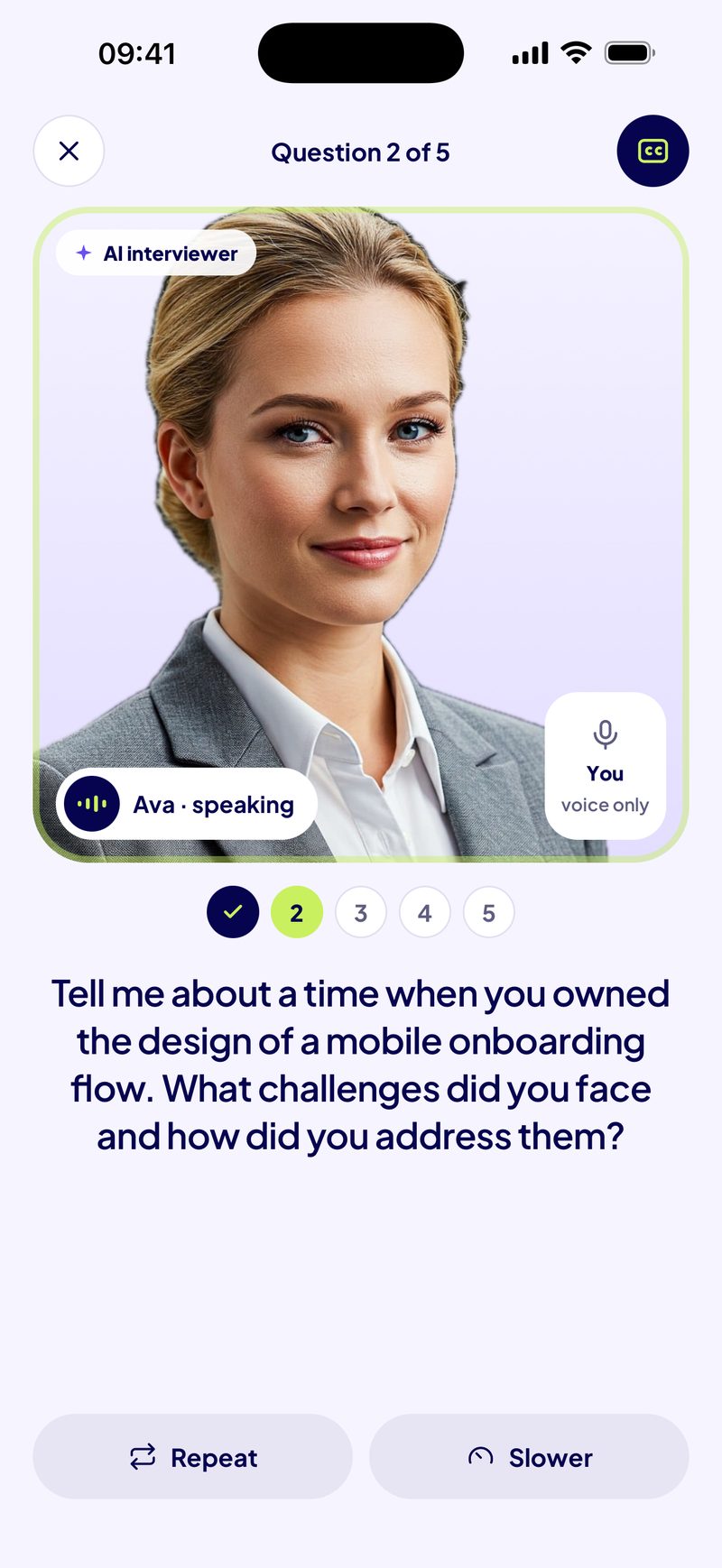
The AI is in the Readyo app instead, where it does what a template cannot: an AI interviewer asks the question out loud, listens to your spoken answer, can follow up, and gives you a scored report with a better version built only from what you said.
Mistakes the generator helps you avoid
- Reciting your CV. They have read it. One achievement beats five job titles.
- A “why” that fits any company. “It’s a great company and I want to grow” could be said anywhere. Name a product, a customer group or a problem they are working on.
- No number. If your achievement has no figure, the tool flags it. A percentage, a count, a time saved or a size of team all work.
- Going past two minutes. The speaking-time estimate tells you before the interviewer does.
Keep practising
Frequently asked questions
Is this tell me about yourself generator free?
Yes. It runs in your browser with no account and no limit. It is made by Readyo, an iPhone app for spoken interview practice; the app is free to download and its interviews are paid, but this web tool costs nothing.
Does it use AI to write my answer?
No. It uses written templates that put your own facts into a present-past-future structure. That means it never adds claims you did not make, and nothing you type leaves your browser. Edit the result freely so it sounds like you.
How long should my answer to “tell me about yourself” be?
Between 60 and 90 seconds. Use the 60-second version for phone screens and short first calls, and the 90-second version when you have more time with a hiring manager. The tool estimates your speaking time at 140 words a minute.
Should I memorise the answer word for word?
No. Memorise the three beats (what you do now, one achievement with its number, why this company) and say it out loud a few times. Small changes in wording each time are fine and sound more natural.
How do I introduce myself in an interview after a career break?
Mention the break in one calm sentence, without apologising, then move to what you did before it and what you have done to stay current. Choose “Returning after a break” and the generator builds the answer that way.
Is “tell me about yourself” the same as a self introduction for interview?
Yes. “Introduce yourself”, “walk me through your background” and “tell me about yourself” all ask for the same short professional summary, so the same answer works for each.
Does the tool save what I type?
No. Nothing is stored or sent. Your answer disappears when you close or reload the page, so copy it first if you want to keep it.